
Table of Contents
Bitcoin Transaction Fees Explained: Why They Change and How to Choose the Right Fee
Bitcoin transaction fees are one of those things that confuse almost everyone at first. You send the same amount you sent last week, and somehow it costs three times more. Or you set what looks like a reasonable fee and your transaction sits there, unconfirmed, for hours.
The thing is, bitcoin transaction fees are not fixed. They move constantly, driven by how busy the network is, how much data your transaction takes up, and how quickly you want it confirmed. Once you understand the few mechanics behind that, picking the right fee becomes a calm decision instead of a guess.
This guide walks you through how fees actually work, why they spike, how to read what your wallet shows you, and how to decide what to pay before you hit send.
Quick Answer: What Are Bitcoin Transaction Fees?
A bitcoin transaction fee is what you pay miners to include your transaction in the next block. Miners pick transactions from a pool of pending ones, and they tend to pick the most profitable first. That means the higher the fee rate you offer, the higher the chance you get confirmed quickly.
Here is the part many people miss: fees are not based on the amount of bitcoin you send. They are based on how much data your transaction takes up and how much competition there is for space in the next block. Sending 0.001 BTC and sending 5 BTC can cost exactly the same fee if the transactions have the same size.
Key Points Readers Should Know First
Before going deeper, keep these basics in your head:
- Fees change constantly, often within minutes.
- They are measured in sat/vB (satoshis per virtual byte), not in dollars or BTC amount.
- Higher fees usually confirm faster, but never guarantee instant inclusion.
- Wallets and explorers estimate fees based on the current mempool, so two tools may disagree slightly.
- The total fee you pay = fee rate (sat/vB) × transaction size (vB).
Hold on to that last point. It quietly explains almost every fee surprise you will ever run into.
Bitcoin Fees Explained: How Transaction Fees Actually Work
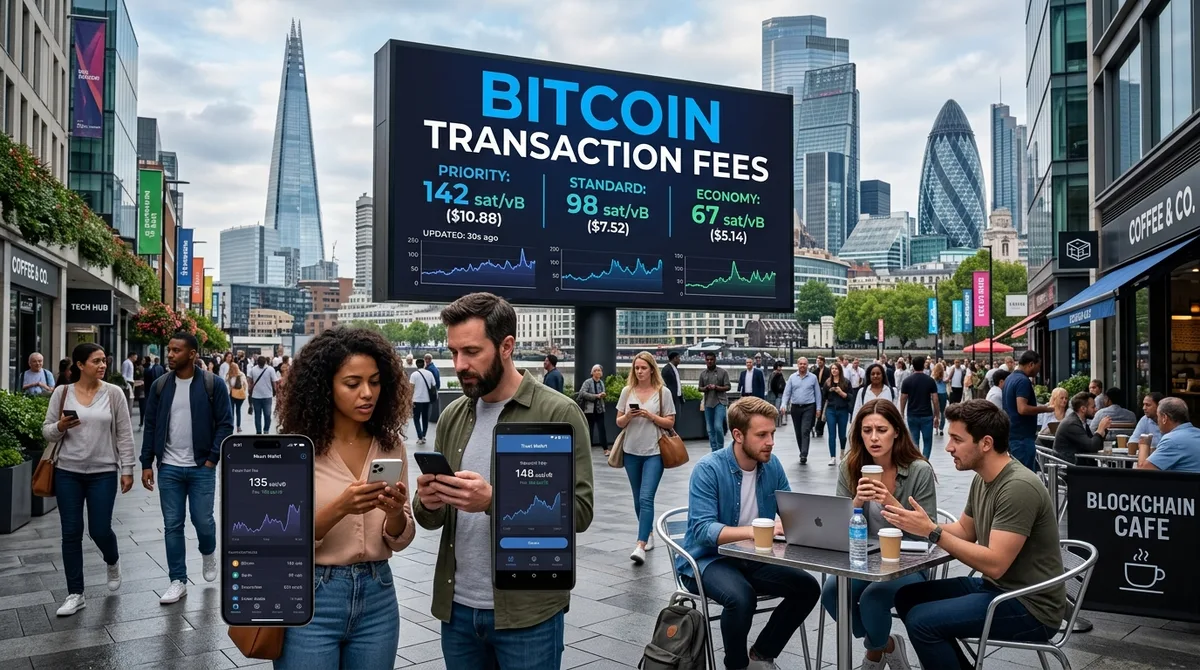
When you send bitcoin, your transaction does not go straight onto the blockchain. It first lands in the mempool, a kind of waiting area where unconfirmed transactions sit. Miners then pull transactions from that mempool and pack them into the next block.
Each block has a limited amount of space. There are far more transactions wanting to be included than space available, especially when the network is busy. So miners do what anyone running a business would do: they pick the transactions that pay the most for their size.
That competition is the entire engine behind fees. There is no central price list. The market sets the rate, block by block.
Why Bitcoin Fees Are Not Based on the Amount You Send
Imagine two boxes being shipped. One box weighs 5 kilos and contains a single expensive watch. The other weighs 30 kilos and contains a stack of cheap mugs. The shipping company charges by weight, not by what’s inside.
Bitcoin works similarly. A transaction sending 1 BTC from one input to one recipient might be small in data size. A transaction sending 0.05 BTC but pulling together 40 tiny pieces of bitcoin you received over the years can be huge in data size, and therefore far more expensive.
The amount of BTC inside is irrelevant. The size of the transaction in virtual bytes is what matters.
What sat/vB Means
sat/vB stands for satoshis per virtual byte. A satoshi is the smallest unit of bitcoin (1 BTC = 100,000,000 satoshis). A virtual byte is a measurement of how much block space your transaction takes up after SegWit’s weight calculation.
When your wallet shows “12 sat/vB,” it means you are willing to pay 12 satoshis for every virtual byte of your transaction. If your transaction is 200 vB, the total fee is 200 × 12 = 2,400 satoshis.
That is the whole math. Once it clicks, fee estimators stop feeling like a black box.
Transaction Size, Weight, Inputs, and Outputs
Every bitcoin transaction is built from inputs (the bitcoin pieces you are spending) and outputs (where they are going, including any change back to yourself). More inputs and outputs mean more data, which means more virtual bytes.
A simple transaction with 1 input and 2 outputs (recipient + change) might be around 140 vB. A transaction with 10 inputs and 3 outputs can easily exceed 1,500 vB. At the same fee rate, that bigger transaction costs roughly ten times more.
This is why people who receive lots of small bitcoin amounts, say from frequent small purchases or mining payouts, sometimes get hit with surprisingly high fees when they finally spend.
Why Bitcoin Fees Are High Sometimes
If you have ever wondered why bitcoin fees are high seemingly out of nowhere, the answer almost always comes down to one thing: demand for block space exceeds supply.
Network Congestion and the Mempool
The mempool is the waiting room. When few people are transacting, it stays mostly empty, and miners include almost everything offered. When everyone wants to transact at once, the mempool fills up with thousands of pending transactions all bidding against each other.
In congestion, your transaction is no longer competing with a few hundred others. It is competing with tens of thousands. Fee rates climb because users keep raising their offers to get out of the queue.
Block Space Is Limited
Bitcoin produces a new block roughly every 10 minutes, and each block can fit only so much data. That cap is intentional and one of the design choices that keeps the network decentralized. But it also means there is no way to “add more capacity” when demand spikes.
You are essentially bidding in an auction held every 10 minutes. The winners get into the next block. The rest wait.
Market Events, Exchange Activity, and Sudden Fee Spikes
Fees rarely climb gradually. They tend to jump. A sharp price move triggers people to deposit, withdraw, or rebalance. Exchanges process queued withdrawals in waves. Periods of heavy ordinal or inscription activity can flood the mempool. A single large entity consolidating coins can add hundreds of transactions at once.
These spikes usually pass within hours or a day or two. If your transaction is not urgent, that timing window matters more than people realize.
How Bitcoin Transaction Fees Affect Confirmation Time
Higher fees increase the probability of being included sooner. They do not buy a guarantee. Even at the top of the fee market, you are still relying on a miner finding the next block, which is itself a probabilistic event.
Low, Normal, and High Priority Fees
Most wallets show three or four preset options. The labels vary, but the logic is consistent:
- Low / Economy: Aims for confirmation within several blocks or hours. Fine for non-urgent sends.
- Normal / Standard: Aims for confirmation within roughly the next few blocks.
- High / Priority: Aims for the very next block.
These are estimates, not promises. If congestion shifts after you broadcast, your “normal” fee may behave like a “low” fee.
Confirmation Targets: Next Block vs. Later Blocks
A confirmation target is just shorthand for “I want to be included within X blocks.” Next-block targets cost the most because you are paying enough to outbid almost everyone else right now. A 3-block target gives miners more flexibility, and a 6-block target lets you ride a much cheaper wave.
If you are paying a friend back and it does not matter whether it confirms in 10 minutes or 2 hours, you are paying for urgency you do not need.
What Happens If Your Fee Is Too Low?
A low-fee transaction can sit in the mempool for hours, days, or, in extreme cases, drop out entirely when nodes prune their mempool. It is not “lost.” Your bitcoin is still yours. The transaction simply was not picked up.
You generally have three options when this happens: wait for congestion to drop, use Replace-By-Fee to bump the fee, or use Child Pays for Parent. We will get to those.
How to Check Current Bitcoin Transaction Fees
Never guess. Always check. Fees can change between the time you open your wallet and the time you hit confirm. For more practical breakdowns of crypto tools and workflows, the Down2Crypto post archive is a good place to dig deeper.
Using Wallet Fee Recommendations
Most modern wallets display fee options with estimated confirmation times. Look for the sat/vB rate and the target block count if the interface shows them. Some wallets only show “slow / medium / fast,” which is fine for casual use, but less useful when fees are volatile.
If your wallet lets you enter a custom fee rate, you have full control. That is usually a better setup for anyone sending more than occasional small amounts.
Using Block Explorers and Mempool Fee Charts
Live mempool dashboards show pending transactions, fee distribution, and what fee rates the recent blocks have been clearing. Glancing at one of these for 30 seconds before sending tells you more than any guide can.
You will quickly see patterns: certain hours are quieter, weekends sometimes calm down, and post-spike cooldowns can be dramatic.
Why You Should Avoid Fixed Fee Advice
Any article telling you “pay 25 sat/vB for fast confirmation” is outdated by the time you read it. Fees are a market. The right fee today might be twice or half what it was last week. Always check live data before sending.
How to Choose the Right Bitcoin Fee
Choosing a fee is mostly about being honest with yourself about how urgent the transaction actually is.
If You Need the Transaction Confirmed Fast
Pay for the next-block target or close to it. This applies to time-sensitive deposits to exchanges (especially before a trade), payments where the recipient is waiting, or transfers tied to a deadline. It is not the moment to save a few dollars.
If You Can Wait
Pick a lower fee target and let the network breathe. Just be realistic: during heavy congestion, “lower” can mean an unpredictable wait. If you choose this path, also choose patience. Refreshing the explorer every 5 minutes will not speed anything up.
If You Are Sending From an Exchange
Exchange withdrawals are different. The platform sets the fee, often based on its own batching schedule and internal cost buffers. You usually cannot adjust it. The fee shown is sometimes higher than the live network rate (because the exchange adds margin) and sometimes lower (because batching spreads the cost across many users).
If You Are Using a Self-Custody Wallet
Self-custody gives you the most flexibility. Custom fee rates, RBF, coin selection, and SegWit addresses are usually all available. If you are serious about managing fees, this is where you want to be. The trade-off is that you are responsible for your own decisions, which is fair.
Bitcoin Transaction Fee Examples
These are illustrative. Do not take the numbers as current. The point is the relationship between size, fee rate, and total cost.
Example 1: Simple Transaction With One Input and Two Outputs
Roughly 140 vB. At 10 sat/vB, that’s 1,400 satoshis. At 50 sat/vB, that’s 7,000 satoshis. Small, predictable, and the kind of transaction most casual users send.
Example 2: Larger Transaction With Many Inputs
Say you are spending 12 small UTXOs to send a single payment. The transaction balloons to around 1,800 vB. At 10 sat/vB, you pay 18,000 satoshis. At 50 sat/vB, that is 90,000 satoshis. Same fee rate, completely different total fee. The amount of bitcoin in the transaction had nothing to do with it.
Example 3: Comparing Slow, Normal, and Fast Fee Choices
For the same 250 vB transaction:
- Slow at 5 sat/vB → 1,250 satoshis, possibly hours to confirm.
- Normal at 20 sat/vB → 5,000 satoshis, likely within an hour.
- Fast at 60 sat/vB → 15,000 satoshis, likely next block or close to it.
The fast option costs 12x more than the slow one. Sometimes it is worth it. Often it is not.
How to Reduce Bitcoin Transaction Fees
Lower fees rarely come from clever tricks. They come from better timing and better habits. For broader resources on managing your crypto setup, the Down2Crypto pages overview is a useful starting point.
Use SegWit Addresses When Possible
SegWit transactions take up less weight, which means fewer virtual bytes for the same logical action. Most modern wallets use SegWit (addresses starting with bc1) by default. If you are still on a legacy address, you are paying more than you need to.
Avoid Sending During Heavy Congestion
The cheapest fee is the one you do not have to pay. If your transaction is not urgent, glance at the mempool. A quiet weekend morning can cost a fraction of a Tuesday afternoon during a market move.
Consolidate UTXOs When Fees Are Low
If your wallet has accumulated dozens of tiny UTXOs over time, those will haunt you the next time you send during congestion. During a quiet period, you can combine them into a single larger UTXO at a low cost. Future transactions then become much cheaper.
This is a small bit of housekeeping that genuinely pays off.
Use Fewer Inputs and Avoid Unnecessary Outputs
If your wallet supports coin selection, choose larger UTXOs over many small ones when possible. Avoid splitting payments unnecessarily. Each extra input or output adds size, and size is what you are really paying for.
Batch Payments When It Makes Sense
If you regularly send to multiple recipients, batching them into a single transaction with multiple outputs is dramatically cheaper than sending them individually. This is mostly relevant for businesses, exchanges, or active users. For someone sending a single payment a few times a month, it is not the priority.
How to Speed Up a Bitcoin Transaction
Sometimes you set a fee, the network shifts, and your transaction is suddenly stuck. You have options.
Set a Higher Fee Before Sending
The cleanest fix is the one you do before broadcasting. If you are unsure, pick a slightly higher fee target. The cost difference is often small, and it spares you from having to fix things later.
Use Replace-By-Fee If Supported
RBF (Replace-By-Fee) lets you replace your stuck transaction with a new version that pays a higher fee. The new transaction takes priority and confirms instead of the old one. Your wallet must support and enable RBF when broadcasting, so check your settings before sending.
If you are not sure whether your transaction will confirm at the fee you chose, sending with RBF enabled is a solid safety net.
Child Pays for Parent
CPFP is the more advanced option. You spend the unconfirmed output of your stuck transaction in a new transaction with a high enough fee that miners want to include both. The “child” pulls the “parent” along. This is more useful when RBF is not available, for instance when receiving an unconfirmed transaction from someone else.
When Waiting Is the Best Option
If RBF is not enabled and the transaction is not time-critical, just wait. Mempool conditions shift constantly. A transaction that looks hopeless during congestion can confirm an hour later when the queue empties.
Exchange Withdrawal Fees vs. Bitcoin Network Fees
These are not the same thing, and confusing them is one of the most common sources of frustration.
Why Exchanges May Charge More or Less Than the Network Fee
The Bitcoin network charges only the on-chain fee. Exchanges charge a withdrawal fee, which may include the network fee plus their own buffer. They batch withdrawals to save costs, build in margin to cover fee volatility, and sometimes set fixed fees that look high during quiet periods and low during congested ones.
That does not automatically mean the exchange is ripping you off. Sometimes they are subsidizing your withdrawal. Other times they are taking a healthy cut. Comparing the displayed withdrawal fee to live network rates gives you a rough sense of which one you are getting.
Why Exchange Withdrawals Can Still Be Delayed
A delayed withdrawal is not always a network problem. Exchanges process withdrawals in batches, run compliance checks, and queue large volumes during busy periods. Your bitcoin might not even be on-chain yet, even if the exchange shows the withdrawal as “processing.” Once it is broadcast, then network conditions kick in.
If your transaction is taking too long, check whether you have a transaction ID yet. No TXID means the exchange has not broadcast it. With a TXID, the wait is on the network.
Common Mistakes People Make With Bitcoin Fees
A few patterns show up over and over. For more guides categorized by topic, you can browse the Down2Crypto category overview.
Choosing the Cheapest Fee Without Checking Congestion
The “lowest” option in your wallet was estimated based on conditions a moment ago. If a fee spike just started, that low fee can mean a long wait. Always do a quick sanity check on the mempool first.
Confusing Network Fees With Wallet or Exchange Fees
Some wallets show only the total fee. Some show sat/vB. Exchanges show their own withdrawal fee. None of those numbers are directly comparable unless you know what each one represents.
Ignoring Transaction Size
People focus on the fee rate and forget that a larger transaction costs more even at a low rate. If your total fee feels surprisingly high, it is almost always because the transaction itself is big, usually due to many inputs.
Sending Urgent Transactions With No RBF Option
If your transaction is time-sensitive, check whether RBF is enabled before broadcasting. Sending without it removes your safety net. If the fee turns out to be too low, you are stuck waiting.
Simple Decision Flow: What Bitcoin Fee Should You Choose?
Here is a calm, repeatable approach.
Step 1: Check Current Fee Rates
Open your wallet’s fee estimator or a live mempool tool. Note the rate needed for next-block, 3-block, and 6-block targets.
Step 2: Decide How Fast You Need Confirmation
Be honest. Do you actually need the next block, or will an hour be fine? “Fast because it feels better” is not a real reason.
Step 3: Check Transaction Size If Your Wallet Shows It
If the total fee looks larger than you expected, look at the transaction size. Many small inputs are usually the cause. If you can choose a different set of UTXOs, do so.
Step 4: Use RBF for Flexibility When Available
If the fee market is volatile and you want a safety net, broadcast with RBF enabled. It costs nothing extra and gives you the option to bump if needed.
Step 5: Confirm Before Broadcasting
Double-check the recipient address. Confirm the amount. Look at the total fee one more time. Bitcoin transactions, once confirmed, are essentially irreversible. Thirty seconds of attention here can save a lot of regret.
FAQ About Bitcoin Transaction Fees
Why are bitcoin transaction fees so high right now?
Almost always because the mempool is full. High demand for block space, often triggered by market volatility, exchange activity, or surges in inscription/ordinal activity, pushes fee rates up. These spikes usually fade within hours or days.
Who receives bitcoin transaction fees?
Miners. The fees are added to the block reward they earn when they successfully mine a block.
Can I send bitcoin with zero fees?
In practice, no. Miners have no incentive to include a zero-fee transaction when there are paying ones waiting. Some wallets may technically allow it, but the transaction is unlikely to ever confirm.
Can a bitcoin transaction get stuck forever?
Not really “forever.” A low-fee transaction can sit unconfirmed for a long time, eventually drop out of mempools, or be replaced via RBF. Once it is dropped, the bitcoin is still in your wallet and can be sent again.
Does sending more bitcoin cost more in fees?
No. The amount of BTC sent does not directly affect the fee. What matters is transaction size in virtual bytes and the fee rate in sat/vB.
Are exchange bitcoin withdrawal fees the same as network fees?
No. Exchange withdrawal fees are set by the platform. They may include the network cost plus internal buffers and batching margins. They are not a direct reflection of the live mempool rate.
Conclusion: Bitcoin Transaction Fees Make More Sense When You Think in sat/vB
Bitcoin transaction fees feel chaotic until you stop thinking about them in dollars and start thinking about them in sat/vB. Fees move because block space is limited and demand changes. That is the entire story.
Once you understand transaction size, fee rate, and how the mempool sets the market, picking a fee becomes a quick, deliberate decision instead of a stressful one. Check current fee rates before sending. Be honest about urgency. Watch for transaction size. Use RBF when it makes sense. And give yourself the small luxury of waiting when waiting is free.
The goal is not to always pay the lowest fee. It is to pay the right fee for what you actually need. That mindset alone will save you more in a year than any clever shortcut.